VideoApply is now enhanced with artificial intelligence features. It helps to streamline three most time-consuming stages: writing the vacancy description, preparing interview questions, and working through applications. Everything is currently in beta. Here is what has changed.
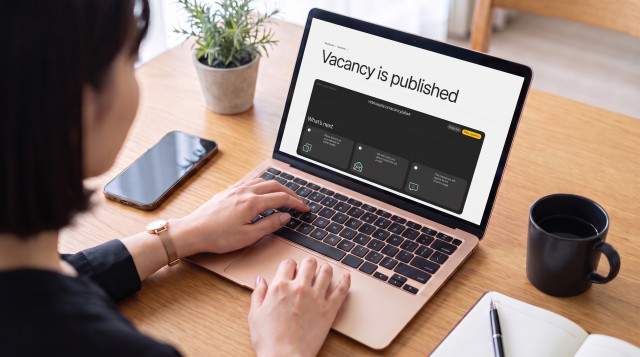
AI-generated job descriptions
Writing a vacancy used to mean starting from a blank page and spending a lot of time and effort to create it. Now, a couple of words is enough to generate a professional-looking vacancy on the fly. Type "Senior UX/UI designer for a healthcare startup," press Write with AI, and you get a ready-made vacancy description already structured into a general overview, responsibilities, and requirements sections.
But there is something more important than speed. The text draws on your company profile — the one you fill in while creating the account. By using it , the description sounds like you wrote it yourself, and not like a template pulled from the internet. Everything the AI suggests can be edited: adjust it by hand or regenerate it as many times as you like.
AI-suggested interview questions
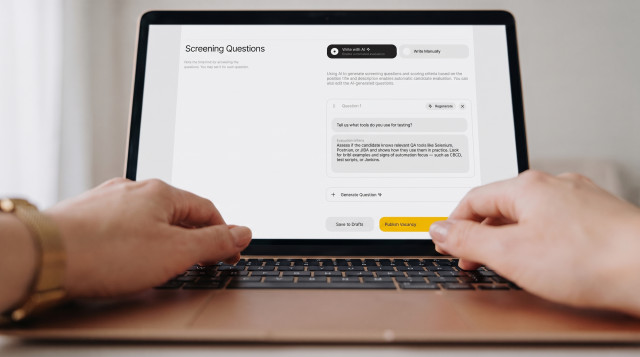
The Generate with AI button puts together between three and seven questions, based on the job description and requirements — in a considered order, not a random one. An opening question comes first, then professional skills, behavioural questions, a deeper competency check, and finally motivation and cultural fit.
The AI also drafts a short guide for each question, so you know exactly what to listen for in the candidate's answer. Any question can be regenerated, swapped out for your own, or removed.
One thing to keep in mind: candidates get two minutes per answer. The shorter and more specific the wording, the better the answers tend to be.
Built-in evaluation criteria
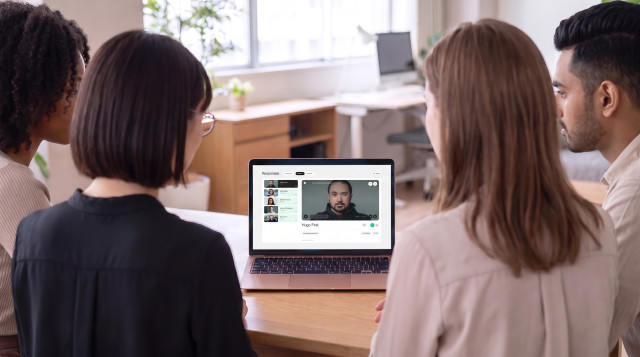
Every question in an interview carries its own set of criteria — what a strong answer touches on, what a weak one misses. They sit right next to the video as you watch, quietly shaping what you're listening for instead of leaving you to guess.
No more scrambling to remember what "good" looks like three candidates in, or scoring the fifth person on a different scale than the first. The criteria stay consistent from one video to the next, which means the comparison between candidates actually holds up.
It's structure, not a shortcut. You still watch, you still decide — the criteria just make sure every candidate gets measured against the same bar.
Data and GDPR
Before starting the interview, candidates give two consents: to their being recorded and stored, and to their answers being transcribed, analysed, and shared with the employer.
One thing is worth calling out , because it comes up often. The AI works only with the speech transcription. The video, face, and voice are not analysed — only the content of what was said.
Everything else is transparent. You can see exactly what data is collected — name, email, CV, video — these are stored for up to 12 months, the draft application is visible only to the candidate until submitted, and a submitted application can be withdrawn at any time. All of it is GDPR-compliant.
What HR says
"The new features make screening faster, and the interface has stayed clear and easy to navigate. For me, the hardest part has always been putting together the right interview questions — and now the system suggests relevant ones tied directly to the vacancy requirements. Sometimes I adjust them for a specific position, but as a starting point it works really well and saves a noticeable amount of time."
— Nina Kuznetsova, HR manager at Vide Infra, the company behind VideoApply
Try it
The features are live in beta at videoapply.io. Give them a go and let us know what worked — and what you think could be better. A lot of what is in the platform today came from exactly that kind of feedback.
For the full story behind these features — including how one HR manager used them to handle 2,000 applications for a single role — read our deep dive on AI screening.